What Computer to Buy


MacBook Air, iMac, or Mini
Get AppleCare
Don't be Cheap
People keep asking me what kind of computer to buy for home. I tell them that it depends on what they plan to do with the computer. Often they're not sure, but they really want a new computer. So here are some general thoughts.
Suppose somebody said:
"I hate shoes. I bought some once, and they cost a lot of money, and pretty soon they got all scuffed and ugly, and the high heels kept sinking into the beach."
That's silly, right? The kind of shoes you should buy depend on where you walk. Maybe you don't need any. Same with your computer.
Expectations
Stop right here if you think you can use a computer without learning and maintaining it, or if you think it's going to be cheap or easy. If you're easily frustrated and give up when things get complicated, save yourself a lot of trouble and don't even start. Buy an iPad, or buy a big TV instead and pay to have the store hook it up.
If what you need is a device for Web browsing and reading and sending email, an iPad can do that, more cheaply and with less chance of being hacked.
Let's Start With Money
There's no sense in having a long discussion about what computer you might want, if you aren't going to spend enough money to get it.
| How much you want to spend | What to do |
|---|---|
| Less than $600 |
|
| Less than $800 |
You can afford a $600 M2 Mac Mini, plus a monitor, keyboard, and mouse. Fantastic machine.
I can advise you about setting it up. Keep reading. A Mac should have at least 16GB unless you are using it for only basic things. |
| Less than $1000 |
You can afford a $1000 M1 Macbook Air.
A refurbished MacBook Air is about $850. I can advise you about setting it up. Keep reading. |
| Less than $1400 .. and some time |
Good for you! Keep reading, I have suggestions.
An M1 iMac starts at $1300.
A MacBook Air with the new M2 chip is about $1200. MacBook Pros come with bigger screens and more ports. |
| I'm rich and want the best | Good for you! Read what follows, then hire a guy to set you up. |
Other Costs
After you buy the computer, you've just begun to pay. You may spend more on attachments and software than on the basic system.
Your time. A computer is like a new puppy. You have to spend time taking care of it. Once you get the computer, you'll spend time learning to use it, and taking reasonable care of it. This means backing up your data and updating the software with security patches. You'll also have to spend time dealing with security, viruses, malware, and privacy (or hire help).
Mail and web connectivity. Most people rent a cable modem connection from their cable company, or a DSL connection from their landline phone company. A cable modem connection is usually faster. Some city dwellers can get fiber connections from either the phone or cable companies: these are very fast and cost more. "Free" wireless is still a pipe dream in most places.
Software.
You get some with the computer; you can get a lot for free; but you'll buy some software, and then have to buy upgrades.
Microsoft Office is about $132, or you can subscribe for $7/mo per computer.
Some widely used software, like Adobe Photoshop, is no longer sold: instead you have to buy a yearly subscription, about $20/mo/product.
(Look into  Affinity Photo as an alternative to Photoshop,
and Inkscape
and Affinity Designer as alternatives to Illustrator,
or the free Gnu Image Manipulation Program: GIMP.)
Affinity Photo as an alternative to Photoshop,
and Inkscape
and Affinity Designer as alternatives to Illustrator,
or the free Gnu Image Manipulation Program: GIMP.)
Accessories. These can add up. See below.
Extended Warranty. If you buy a Mac, get AppleCare, which extends the warranty from one year to three.
Recommendation
Get a Mac. Choosing a Mac will save you your time. Your computer is more likely to work, and less likely to have security problems. For example, in the first half of 2004, there were over 4000 new Windows viruses found, and none for the Mac. I find MacOS more reliable than Windows: I haven't had to reboot a Mac to solve a software problem in months. I use Mac, Windows, Linux, Solaris, and FreeBSD computers every day; I reach for the Mac when I want to get something done.
If you're buying a new Mac, the MacBook Air, the MacBook Pro, and Mac Mini come with Apple's new M1 or M2 chips. These chips give you more speed than Intel chips, and use less battery power. These new machines work differently at boot. They are more secure, but recovery options are different from Intel Macs.
(Linux and FreeBSD are great. People who are willing to spend substantial time learning about systems, and maintaining and enhancing their software, can save a lot of money using free software, and they'll learn a lot, whether they want to or not. But this note isn't for those folks. It is for people who don't want to become more of a computer expert than they have to.)
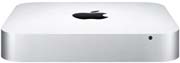
The Mac Mini is a great little computer. You can use your old monitor and keyboard if you have them. We have one connected to our living room TV; it shows photo slide shows and plays music.
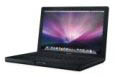
MacOS has all the advantages of a consumer oriented operating system, plus the power of a Unix inside. This note was started on a very nice computer, a black MacBook bought in 2006. It ran all the standard commercial applications such as Adobe Photoshop and Microsoft Word, as well as powerful programmers' tools. macOS is the Unix system I was waiting for.
From 2012 to 2023 I used a MacBook Pro, with a solid state drive and a higher resolution screen. Currently I am using a Macbook Air, smaller, lighter, faster, and half the price of the Pro.
Considerations
Laptop or desktop? You have to decide how to fit the computer into your lifestyle. Is it going to sit on your desk, permanently connected to the Internet? Do you want to take it traveling, or to the café to write and surf the web? You pay extra for a laptop, and have fewer display options: decide if this matters to you. My wife uses a MacBook Air and attaches a big monitor to it at home.
Cost. PC hardware is cheaper and there's more of it. But if you get a Windows computer, you'll spend more time dealing with management of the computer, solving problems with the software, and preventing and recovering from viruses, and that's a cost too. What I tell my friends and relatives is, "If you get a Windows PC, I can't help you. You'll have to get help from somebody else, and you'll need a fair amount."
Marginalization. Because more users run Microsoft Windows, some web sites, hardware, and software used to assume that everybody does, and wouldn't work for Macs. This is not as comman as it used to be.. bug big companies that supply many employees with a computer may go for cheaper Windows machines.
If there is something specific that you want to do with your computer, you should talk to someone who already does that, and find out what their computer setup is. (As of 2022, Macs have about 20% of the market.)
Reasons. Think about why you want a new computer.
- My old computer has a virus. (Bad reason, disinfect it.)
- My old computer is broken and too old to fix. (Been through that. Should have been saving up.)
- My old computer is too slow. (For what? might be virus infestation or old software cruft.)
- I never had a computer before. (Better know what you're getting into.)
- I want to do X. (Bingo. What's X?)
Here's the kind of comparison you want:
| Application | Mac | PC | Linux |
|---|---|---|---|
| safe | less safe | ok | |
| Web browsing | safe | less safe | ok |
| Writing | = | = | (no MS Word) |
| Photo | best | ok | more work |
| Illustration | best | ok | ? |
| Music playing | best | ok | ok |
| Movie making | ? | ? | ? |
| Games | some | more | fewest |
| Run unusual device | ? | ? | ? |
What you intend to do with the computer determines what kind of computer to get. For example, I don't use the computer for games; your main use of a computer might be playing games that are Windows-only, so that would determine your choice. Similarly, you may have some particular hobby that uses a program that only runs on one OS: if so, then your choice is made. Or your employer may have stupid rules against Macs: too bad.
Which Mac?
(Apple prices as of 07/24/2022) I don't show the prices of AppleCare+ (3-year extended warranty) because Apple doesn't show it on its website: but you should buy it.
- Mac Mini
- Mac Minis are real nice small computers.
- M1 8GB 256GB SSD $600
- 256GB of SSD may be enough if you don't keep a lot of files. Add $200 for 512GB, $400 for 1TB.
- You need a monitor, USB keyboard, and USB mouse also, if you don't have them already.
- You could use a flatscreen TV as a monitor, if it's the right kind... I do this.
- MacBook Air (portable)
- 13 inch M1 8GB 256GB SSD $1000. Look for discount deals and education pricing. With an M2 chip it's another $100.
- If you use wired Ethernet, you will need an Apple Thunderbolt to Gigabit Ethernet Adapter ($29).
- 256GB of SSD may be enough if you don't keep a lot of files, or keep them in the cloud. $200 for 512GB, $400 for 1TB.
- A 15 inch MacBook Air M2 with 256GB SSD is $1300.
- iMac (all-in-one)
- 24 inch M1 8GB 256GB SSD $1300
- Comes in different colors.
- Built-in monitor; includes wireless keyboard, wireless mouse
- If you use many devices, you may want a Thunderbolt dock that will give you lots of ports.
- You will want a $29 battery charger for the batteries on the keyboard and mouse.
- 256GB of SSD may be enough if you don't keep a lot of files. $200 more for 512GB.
Check prices at Amazon and B&H Photo to see if you can find a deal.
Of course you can spend a lot more, and get more features, and bigger displays. Keep reading. MacBooks now have "retina" graphics with over 200dpi. Macs now have Solid State Disk (i.e. Flash memory) instead of hard drives: SSDs are faster and more reliable.
(It is worth reading Ric Ford's MacInTouch web site to see what experience other Mac users are having.)
From my own experience I have concluded never to buy version 1.0 of anything from Apple. Often the first version of a product is rapidly obsoleted by a much better version. This happened with PowerBooks, with the iPhone, with MacOS... the list goes on and on.
Where to Buy
Online: Apple Online Store. I often buy Macs at the online Apple store because then you can have them "built to order" with extra memory, bigger disk, etc. You can also buy Macs from Amazon, if they sell exactly the configuration you want. Other World Computing is a very helpful online store for accessories and upgrades.
Apple storefront: worth a visit if one is near you. The storefront is where you will take your Mac if it needs service, or where you go for "One To One" training.
Not recommended: mass retailers, big box stores. Their salespeople and service are often poorly trained on Mac products, and they may provide inaccurate information to get their commission.
There aren't any big bargains on Macs, even if you know an Apple employee. A few hundred dollars at most.
Apple sometimes sells refurbished computers for a modest savings.
Check out their online page.
Remember to buy AppleCare.
Add-ons
What do you have to buy besides the computer? This is where your personal computer becomes "Personal." It depends on your use. See the Essentials page for my suggestions.
If you buy a laptop, you'll need a bag to carry it safely.
Internet Connection. You want high speed; where I live, cable modem is a much better deal than DSL.
Using a firewall box, you can connect all the computers in your house in a little network and connect them all to the Internet. Your devices can share files and back each other up.
Buy a backup drive.
Any file you don't want to lose should be stored in two places (at least).
MacOS comes with a nice software feature called Time Machine.
Connect an external drive to your computer and Time Machine makes a backup copy of everything that you change.
If you want to retrieve a lost file, you can find it easily. Huge external drives are cheap these days: get one and use it for your backups.
Backup to CD or DVD is also possible, but requires you to do more work, and you might get lazy at the worst possible time.
Dongles, Adapters, and Docks. New MacBooks, Airs, and MacBook Pros have USB-C ports instead of USB, Firewire, and charging ports. To connect existing devices to these ports, you need adapters or dongles, $20-30 each. Some computers, like the MacBook Air, have fewer ports: you should consider a USB-C dock that then provides multiple different kinds of ports. See Essentials::Docks for more information.
External Optical drives. These cost about $79 from Apple and connect using USB-A ports. They are useful for loading software and music from CDs, and for burning backup data onto a CD. Apple does not sell an external Blu-Ray drive, which would allow you to read high-definition movies and burn backups of up to 50GB per disc. You can find such devices at sites that specialize in Mac support, such as Other World Computing.
Inexpensive USB-A Flash sticks are an alternative to CD/DVD, with better reliability and more capacity. This is how you get data off your computer to send to someone else, to take to Kinko's, and so on. Even if you are backing up your files to an external drive, you should also back up precious data occasionally to USB stick, CD, or DVD.
USB drives. These are very inexpensive. Apple no longer sells optical drives on any current computer: USB Flash memory sticks are faster and higher capacity, (and most people download their music and software from the Web rather than buying it on CD, and back up their data to the Web or to hard drives). USB drives are a good way to transfer files between computers and back data up.
Buy enough memory. The more memory you put on your computer, the less trouble you'll have. With recent versions of MacOS, 4GB may not be enough. Most models of Apple computers cannot have their memory increased after you buy them; get enough when you order. If you are buying a configure-to-order computer from the online Apple store, consider upping the memory.
Choose a Printer. You will need some kind of printer. A basic color printer is usually free after rebate with purchase of a new computer (they will make money from you on the ink cartridges). Printers are one area where you have to decide why you want a new computer. If you plan to print a lot of documents, you want a laser printer. If you print photos, you'll want a high-quality inkjet. An important issue is to find out the cost of the ink cartridges: some printer manufacturers lock you into their cartridges, give you a nearly empty one with the new printer, and charge a lot for a replacement. I have a color laser and a B+W laser. You can now get all-in-one printer/scanner/fax devices with a color laser printer.
Other Devices. There's a huge variety of other devices you could connect to your computer, depending on your interests. Music composition and performance. Photo scanners. Video. Home security. Label printers. Depends on what you want to do. Your best bet is to talk to someone who uses a similar device already.
Don't be cheap. An unreliable computer will drive you crazy. If you read the stories online of people who have been having trouble with their computers, a lot of them are trying to use an old piece of equipment, like an old scanner or monitor. Many times, the cost of time and trouble dealing with a problem device far outweighs the cost of just getting a new one.
Migrating from an old Mac to a newer Mac
There are many ways to move your applications and data from an old Mac to a newer one. Joe Kissell wrote a very comprehensive TidBITS article about how to do this.
Required Software Upgrades
If you buy a new computer, or upgrade the OS on your current computer, your current software may have to be upgraded to a new version. This can be costly. If you depend on some old Mac software, written for the "PowerPC" CPU, it won't work on new models.
Take Care of Your New Computer
I mentioned doing a backup: once you are moved into your new computer, it's a good idea to make a full clone backup of everything. Keep your software up to date. Learn how to use your computer. If you live near an Apple Store, you can pay $99 for "One To One" for a year's worth of personalized help.
Plan for your next computer.
Eventually you will want to replace your computer with a newer one. How long will a computer be useful? It's hard to get help and parts for old computers: this is not a sinister plot, it's just that computer technology keeps advancing. A five-year-old computer is venerable, ten is ancient. 33 years ago, I carried a 16-pound MacPortable: it cost over $7,000, and had 7MHz/2MB/40MB. Now these computers are antiques. The 2006 MacBook I began this page on weighed 6 pounds, cost about $1500, was about 30 times as fast with 2 CPUs, 500 times the memory, 4500 times the disk storage, and included Ethernet, two kinds of wireless, FireWire and USB connectivity. And it had a color screen.
Apple defines a product as "vintage" if it is more than five years since it was discontinued, and "obsolete" if more than seven years.
There is no hardware support for obsolete products, and service for California-bought vintage products only in California.
Software support is separate issue: there is no blanket promise that future new products will run on hardware that predates it.
There is an Apple web page listing obsolete products.
(The Mac Portable is listed as a desktop computer, not a portable computer.)
If you are thinking of buying a used Mac, check out this nice article form MacFixit titled "Check a used Mac's condition before purchasing."
Further reading
I have written down some suggestions on home computer security,
including some pointers to security advice for Windows users.
You may also be interested in how I filter spam.